
The Ultimate Guide to Setting Up a Smart Home System
.Picture this: it’s 11 PM, you’re already in bed, and you suddenly can’t remember whether you locked the front door. Pre-smart home you would have had two options — either lie there in low-grade anxiety until sleep claimed you, or haul yourself out of bed like it’s the Middle Ages. Post-smart home you? You tap your phone twice and confirm the deadbolt is engaged without moving a single muscle. And then you fall asleep immediately, the smug sleep of someone whose house actually listens to them.
That’s the quiet magic of a well-designed smart home. It doesn’t make your life futuristic or cinematic — it just removes the small, annoying friction points that you didn’t even realize were costing you energy every day. If you’ve been thinking about taking the plunge but aren’t sure where to start, you’ve landed in exactly the right place. This is your complete, no-fluff guide to building a smart home system from scratch.
Why a Smart Home Is Worth It (and Not Just for Tech Nerds)
The “smart home” concept has a bit of a reputation problem. For years it felt like the domain of Silicon Valley types who wanted to shout at their ceiling to turn on the television. But in 2025, home automation has grown up. The devices are more affordable, more reliable, and far more user-friendly than they were even five years ago — and the benefits are genuinely felt by real families, not just early adopters.
Here’s what you’re actually signing up for.
The convenience factor is real, and it compounds. Being able to control your lights, thermostat, locks, and appliances from your phone — or just by speaking — feels like a novelty for about a week. After that, you can’t imagine doing it any other way. Setting up a “leaving home” routine that switches off every light, locks every door, and dials the thermostat down to energy-saving mode in one tap is the kind of thing that becomes invisible infrastructure for your daily life.
Then there’s the energy savings angle, which is genuinely one of the most underrated selling points. A smart thermostat learns when you’re usually home and away, and adjusts automatically. Smart plugs can cut phantom power draw from devices left on standby. Smart lighting never gets left on in a room nobody’s using. It doesn’t sound dramatic, but across months and years, these small wins add up to a noticeably lower electricity bill. In most households, a smart thermostat alone can pay for itself within the first year.
Security is where things get more serious. Remote camera access means that whether you’re at work, at the gym, or on a flight to Accra, you can see what’s happening at your front door right now. Motion-triggered alerts, smart locks with access logs, and video doorbells give you a level of visibility over your home that a traditional alarm system simply can’t offer. There’s also a growing body of evidence that visible smart security devices act as a deterrent in themselves — opportunistic break-ins tend to happen to homes that look like easier targets.
One benefit that rarely gets the spotlight it deserves is accessibility. For elderly family members, people with mobility challenges, or anyone managing a disability, voice-activated systems and automation routines can be life-changing. Not having to physically reach a light switch, or being able to unlock the front door remotely for a carer without getting up — that’s not convenience. That’s independence.
The Cast of Characters: Your Core Devices
A smart home ecosystem is made up of several different device types, each handling a different part of your home life. Think of them less as gadgets and more as a team.
The smart hub is where it all starts. This is the device that sits at the center of your ecosystem, translating commands between you and your various gadgets. Amazon Echo (Alexa), Google Home, and Apple HomePod are the big three. The most important thing to understand here is that your hub choice is a long-term commitment — it determines which devices will play nicely with your system going forward. Pick the one that fits the ecosystem you already live in. Already deep in the Apple world? Go HomePod. An Android household? Google Home makes more sense.
Smart lighting is usually the first purchase people make, and for good reason. It’s low-cost, low-risk, and delivers immediate, obvious value. Philips Hue and LIFX are the most popular options — both let you control brightness, color temperature, and scheduling through an app or voice command. The “set it and forget it” joy of lights that come on at sunset without you lifting a finger is hard to overstate.
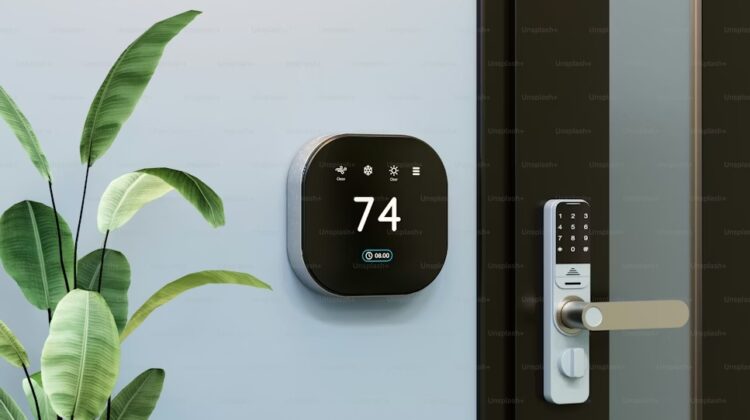
A smart thermostat is probably the single highest-ROI device in any smart home. Models like the Nest Learning Thermostat and Ecobee actually track your habits and build a schedule around them. They also detect when the house is empty and back off the heating or cooling accordingly. This isn’t just convenience — it’s money reclaimed from your utility bill month after month.
Smart security cameras have become remarkably capable and affordable. Ring and Arlo are household names for a reason — both offer clean apps, reliable motion detection, and cloud-based video storage. The peace of mind from seeing a crisp live feed of your front door while you’re halfway around the world is worth the price of admission alone.
Smart plugs are the unsung heroes of the smart home world. They’re cheap, require zero installation, and instantly make any ordinary appliance — a fan, a lamp, a coffee maker — controllable from your phone or by voice. They’re also your first line of insight into energy consumption, since most come with built-in monitoring features.
Smart locks flip the script on home entry. August and Yale both make excellent models that let you unlock your door via app, assign temporary PIN codes for guests or cleaners, and get a timestamped log of every entry. Losing your keys stops being a crisis.
Smart smoke and carbon monoxide detectors like the Nest Protect or First Alert Onelink are easy to overlook because, thankfully, you rarely need them. But when you do, having a device that sends an immediate phone alert — rather than just screaming into an empty room while you’re away — is the difference between a minor incident and a catastrophe.
Setting Up Your System: The Right Order Matters
This is where most first-timers go wrong. They buy a pile of cool gadgets, try to connect everything simultaneously, and end up in a tangle of apps and incompatible protocols. Here’s how to do it cleanly.
Start with your hub, not your devices. Seriously. Before you buy a single bulb or plug, commit to your hub and spend an afternoon getting familiar with its app. This decision shapes everything that follows. Research which devices are natively compatible with your chosen ecosystem, and make that your shopping list.
Add devices one at a time. There’s no prize for automating your entire house in a single weekend. Start with one or two devices — maybe a smart bulb in your living room and a smart plug for your desk lamp. Get comfortable with the process of installing, connecting, and configuring before you scale up. Each new device will feel faster than the last.
Connect everything through the hub app. Most smart devices come with their own companion app, and while those apps work fine in isolation, they’re not a smart home — they’re just apps. The magic happens when you pull everything into your hub’s app, creating one unified system where devices can see and respond to each other.
Set up routines early. This is the step that moves you from “cool gadgets” territory into genuine quality-of-life improvement. A “Good Morning” routine that turns on the kitchen lights, bumps the thermostat up two degrees, and plays your morning playlist — triggered by your first alarm — takes about five minutes to configure and saves you a small handful of decisions every single day. Those saved decisions compound.
Test rigorously before you rely on anything. Before your smart lock becomes your primary way of entering the house, test it extensively. Before you assume your thermostat is handling things automatically, check the schedule it’s built. Smart devices are reliable — but “mostly reliable” and “reliable” are very different things when it comes to the lock on your front door.
Optimizing for the Long Haul
Getting the system up is step one. Getting the most out of it over months and years is the whole point.
Don’t underestimate voice control. Yes, it feels slightly odd at first. But once you’ve gotten past the self-consciousness of talking to a room, voice commands become your fastest input method for dozens of daily actions. Asking Alexa to “turn off all the lights downstairs” as you head up to bed beats fumbling for your phone every time.
Revisit your automations periodically. Your life changes — your schedule shifts, seasons change, household routines evolve. The automations you set up in January might not fit your life in July. Make it a habit to audit your routines every few months and prune or update anything that’s become stale.
Stay on top of firmware updates. This is the most boring advice in this entire guide and also some of the most important. Smart device manufacturers push regular updates that close security vulnerabilities and improve performance. An unpatched smart camera or smart lock is a potential weak point in your home’s security — not just physically, but digitally. Keep your devices updated.
Use energy monitoring intentionally. If your smart plugs support consumption tracking (most do), actually look at that data occasionally. You may be surprised by what you find — a device you assumed was using minimal power quietly drawing significant wattage in standby mode, or a pattern that reveals a simple habit change could cut your bill noticeably.
Secure your network. The standard advice here is worth following: use a dedicated IoT network (most modern routers support a separate “guest” or device network), use strong unique passwords for all device accounts, and enable two-factor authentication wherever it’s available. Your smart home is only as secure as the network it lives on.
One Last Thing Before You Start Shopping
If you’ve made it this far, you already know more than most people who have twice as many smart gadgets as you do. The mistake people make most often isn’t buying the wrong devices — it’s buying them in the wrong order, without a plan, and ending up with a disjointed collection of apps instead of a cohesive system.
Start with your hub. Add devices deliberately. Build automations that reflect how you actually live, not how you think you ought to live. Update everything regularly. And for the love of all things convenient, test your smart lock before you trust it with your house.
The goal of a smart home isn’t to have a home full of technology. It’s to have a home that quietly, reliably, handles the small stuff so you can focus on the large stuff — or, honestly, just sleep better without wondering whether you locked the front door.