
How to Secure Your Personal Information Online
A colleague of mine spent forty-five minutes on the phone with her bank last year trying to explain that she had not, in fact, purchased four hundred dollars worth of electronics from a store in a city she had never visited, on a Tuesday afternoon when she was sitting in a meeting.
The bank believed her eventually. They reversed the charges. They issued her a new card and made sympathetic noises about how common this kind of thing was becoming.
What they did not tell her — what nobody told her, because it is not in anyone’s commercial interest to say it plainly — was how it had happened. It had happened because three years earlier, a company she had created an account with had experienced a data breach. Her email address, her password, and partial payment information had been sitting in a database somewhere on the dark web for thirty-six months. Someone had eventually bought that database, run her credentials against her bank’s login page on the off chance she used the same password there too, and discovered that she did.
Three years. She had been compromised for three years without knowing it, through absolutely no fault of her own beyond creating an account with a company that failed to protect its users’ data.
I tell this story not to frighten anyone but because I think it illustrates something important about online privacy that the usual “here are ten tips to stay safe” articles tend to miss: the threat is not abstract, it is not rare, and it is not something that only happens to careless or unsophisticated people. It happens to careful, intelligent people every day, largely because the systems we have all been enrolled in — often without meaningful choice — were not built with our security as the primary concern.
Understanding what you are actually dealing with is the foundation of dealing with it effectively. So let us start there.
What Is Actually at Stake
The phrase “personal information” has become so common that it has lost some of its weight. We hear it constantly — protect your personal information, be careful with your personal information — without always stopping to think concretely about what that information actually is and what someone with access to it can do.
Your full name. Your date of birth. Your home address. Your phone number. Your email address. Your national identification number. Your financial account details. Your passwords. Your browsing history. Your location data. Your medical records.
This is not a list of minor conveniences. It is the complete architecture of your identity — the information from which someone with sufficient skill and motivation can construct a version of you that they can operate in your name, spending your money, opening accounts in your name, committing crimes attributed to you, and in some cases causing damage that takes years and enormous effort to reverse.
Identity theft is the most commonly discussed consequence of compromised personal information, and it is serious enough. But the range of harm that flows from data exposure is wider than that. Compromised financial information produces direct theft. Exposed location data enables physical stalking. Medical information sold to data brokers can affect insurance decisions. Accumulated behavioral data builds psychological profiles used to manipulate purchasing and political decisions in ways that are difficult to detect and harder to resist.
None of this is speculative. All of it is documented, happening at scale, and has been for years.
The reason most people do not feel the urgency this situation arguably warrants is that the harms are often delayed, often invisible, and often attributed to something other than the data exposure that caused them. My colleague did not immediately know she had been compromised three years earlier. She knew only that her card had been used fraudulently, which felt like a banking problem rather than a data problem. The connection between cause and effect was real but invisible.
Invisible harms are still harms. And the tools for preventing them are, fortunately, considerably more accessible than the tools for recovering from them.
The Threats — What Is Actually Out There
Before getting to the protective measures, let me describe what you are actually protecting against. Not in the abstract, but in the specific forms these threats take in real life.
Phishing — The One That Gets the Most People
Phishing is the practice of deceiving someone into voluntarily handing over their credentials or personal information by pretending to be a trusted entity. It is called phishing because it works on the same principle as fishing — you cast a line with attractive bait and wait for someone to bite.
The reason phishing remains the most successful cybercrime technique despite decades of warnings about it is that it has evolved dramatically. The phishing emails of fifteen years ago were obvious — riddled with grammatical errors, sent from clearly suspicious addresses, making implausible claims about Nigerian princes. The phishing attacks of 2026 are different. They are personalized. They reference real companies you actually use, real transactions you may have recently made, real people you actually know. They arrive from email addresses that differ from legitimate ones by a single character. They replicate the visual design of legitimate communications with near-perfect accuracy.
The most sophisticated current phishing attacks use information gathered from social media and data breaches to create messages specifically tailored to the individual recipient — mentioning their name, their employer, their recent purchases, their location. These are not mass mailings hoping for a one-in-a-thousand hit rate. They are targeted, researched, and designed to fool people who consider themselves careful.
The defenses against phishing are behavioral rather than technical — and we will get to them. But understanding that the threat has evolved past “obviously suspicious email from a stranger” is essential context.
Malware — The Invisible Passenger
Malware is software designed to operate on your device without your knowledge or consent, typically for the purpose of stealing information, providing remote access to an attacker, or both. It arrives through email attachments, through compromised websites, through software downloaded from unofficial sources, through infected USB drives, and increasingly through vulnerabilities in legitimate software that has not been updated.
The most dangerous current category of malware from an individual privacy standpoint is keyloggers — programs that record every keystroke you make, capturing passwords, messages, and any other information you type, and sending it silently to a remote server. A keylogger operating on your device is effectively giving someone else a live transcript of everything you do. Most people who have keyloggers on their devices have no idea.
The defense against malware is layered — it involves keeping software updated, being careful about what you download and click, and maintaining active security software. None of these are complicated. All of them require consistency.
Data Breaches — The Threat You Cannot Fully Control
This is the one that is hardest to discuss without producing a sense of helplessness, because it is genuinely partially outside your control.
A data breach occurs when an unauthorized person or group gains access to a company’s database containing user information. Given the scale at which data breaches occur — hundreds of significant breaches are reported every year, affecting billions of records in aggregate — the realistic probability that at least some of your personal information has been exposed in a breach is very high, regardless of how careful you personally have been.
The company you created an account with five years ago and have not thought about since. The healthcare provider whose records system was compromised last year. The retailer whose payment processing was infected with malware for several months before anyone noticed. You have no control over any of these. You did nothing wrong. Your information is out there anyway.
What you can control is how much damage that exposure can do — and that is where the practical measures come in.
Weak and Reused Passwords — The Lock You Left Open Yourself
This one is genuinely within your control and genuinely represents one of the most significant vulnerabilities most people carry.
The problem with passwords is not just that people choose weak ones, though many do. It is that people reuse them. Using the same password — even a strong one — across multiple accounts means that a single breach of any one of those accounts potentially compromises all of them. The attack my colleague experienced worked precisely because she had used the same password across multiple services.
The average person has somewhere between eighty and one hundred online accounts. Maintaining a unique, strong password for each of those accounts without some kind of system is functionally impossible, which is why most people do not do it, which is why credential reuse remains one of the most exploited vulnerabilities in consumer security.
There is a solution. It is called a password manager. We will get there.
What Actually Works — Specific, Honest Advice
A Password Manager Is Not Optional Anymore
I want to say this as directly as possible: if you are using the same password across multiple accounts, or if your passwords consist of memorable words and numbers, you are carrying a significant and unnecessary vulnerability. A password manager eliminates this vulnerability almost entirely and the barrier to using one is much lower than most people assume.
A password manager is an application that generates and stores strong, unique passwords for every account you have. You remember one master password — the one that unlocks the manager — and the manager handles everything else. It generates passwords that look like random strings of characters thirty letters long — the kind of thing no human would choose and no brute-force attack can reasonably crack. It stores them securely. It fills them in automatically when you log into sites.
Services like Bitwarden, which is free and open-source, 1Password, and Dashlane are all well-regarded. Bitwarden in particular has been independently security-audited and its code is publicly available for anyone to inspect — the kind of transparency that is meaningful in a security tool.
The transition to a password manager takes a few hours of initial setup as you work through your accounts. After that, it operates largely invisibly. It is one of the highest-return single actions available for improving your online security.
Two-Factor Authentication — The Second Lock
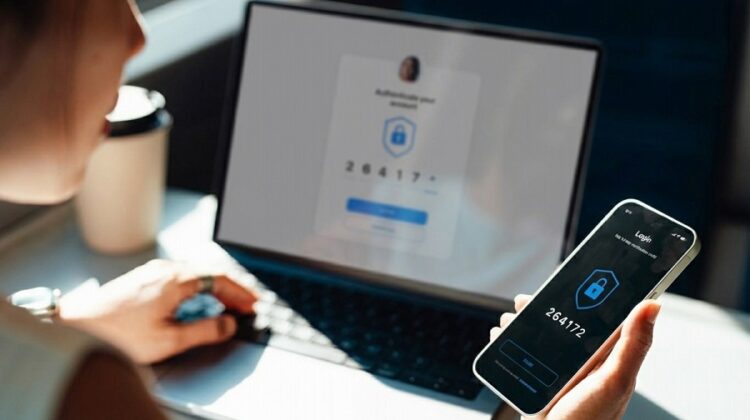
Two-factor authentication — usually abbreviated as 2FA — means that logging into an account requires not just your password but a second form of verification, typically a code generated by an app on your phone or sent to you by text message.
The reason this matters is straightforward: if someone obtains your password through a breach or a phishing attack, the password alone is not enough to access your account. They also need the second factor — which, in the case of authenticator apps, exists only on your physical device and changes every thirty seconds.
Enable 2FA on every account that offers it. Prioritize your email account above everything else, because your email is the master key to your digital life — it is the recovery mechanism for almost every other account you have. If someone gains access to your email, they can reset passwords and gain access to virtually everything else. Protect it accordingly.
For 2FA codes, authenticator apps — Google Authenticator, Authy, Microsoft Authenticator — are more secure than SMS text messages, because SMS can be intercepted through a technique called SIM swapping. If the option exists to use an authenticator app rather than text message codes, choose the app.
Recognizing Phishing — The Behavioral Habits That Protect You
No technical tool fully protects against phishing because phishing attacks human judgment rather than technical systems. The defenses are therefore behavioral.
The most important habit is to develop a reflex of not clicking links in emails when the stakes are high. Instead of clicking a link in an email claiming to be from your bank, open a new browser tab and navigate directly to your bank’s website. Instead of calling the number provided in a suspicious message, look up the institution’s official number independently and call that. This one habit — going directly to the source rather than following the provided link — eliminates a large proportion of phishing risk.
Learn to look at email addresses carefully rather than just display names. The display name in an email — the part that says “PayPal Customer Service” — can be set to anything by the sender. The actual email address behind it is harder to fake convincingly. An email from “PayPal Customer Service” whose actual address is something like paypal-support@notifications-secure.net is not from PayPal.
Be specifically suspicious of urgency. Phishing messages almost always create artificial urgency — your account will be suspended, you must act within 24 hours, your payment has failed. This urgency is designed to override careful thinking. When you feel pressured to act immediately on a digital communication, that feeling itself is a reason to slow down rather than speed up.
Keeping Software Updated — The Boring One That Matters
Software updates are consistently the most ignored security advice and consistently one of the most important. The reason is simple: most updates include patches for security vulnerabilities that have been discovered since the previous version. Operating a device on outdated software means operating it with known vulnerabilities that attackers are actively exploiting.
Enable automatic updates wherever possible — for your operating system, your browser, your apps, and your router’s firmware. The inconvenience of a device restarting to install updates is trivial compared to the inconvenience of recovering from a malware infection that entered through an unpatched vulnerability.
Your router specifically is worth mentioning because it is the gateway through which all internet traffic in your home flows, and it is often overlooked in personal security thinking. Log into your router’s settings periodically and check whether firmware updates are available. Most routers have this option in their administration interface and it takes two minutes.
What You Share and Where You Share It
Social media has normalized a degree of personal disclosure that would have seemed remarkable to anyone alive twenty years ago. People share their full name, employer, location, daily routine, family relationships, upcoming travel plans, and occasionally their address and phone number with audiences that are often much less controlled than they appear.
This information is valuable to people with harmful intentions. Knowing that you are traveling next week tells a burglar your house will be empty. Knowing your mother’s maiden name and your childhood street helps someone answer your security questions. Knowing your workplace and daily commute gives a stalker a predictable schedule.
The adjustment here is not paranoia — it is a modest recalibration of what you share publicly versus what you share with trusted people specifically. Most social media platforms offer granular privacy settings that most users have never reviewed. Spending twenty minutes understanding and adjusting these settings on the platforms you use is worth doing.
Monitoring — Knowing If Something Has Already Gone Wrong
If your data has already been exposed in a breach — which, statistically, it probably has to some degree — knowing about it is the first step toward managing the damage.
Have I Been Pwned (haveibeenpwned.com) is a free service run by security researcher Troy Hunt that allows you to enter your email address and see whether it has appeared in any known data breaches, along with what information was exposed and when. I would encourage everyone reading this to check their email address there. The results are sometimes surprising and always useful.
Your credit report is worth reviewing periodically for accounts or inquiries you do not recognize — these can be early indicators of identity theft. In many countries this is available free at least once annually through official channels.
Setting up alerts on your financial accounts — so that any transaction above a certain threshold triggers an immediate notification — means that fraudulent activity is visible within minutes rather than discovered weeks later on a statement. Most banks offer this and most people have not turned it on.
If Something Has Already Gone Wrong
Let me address this directly because it is the part that most security guides rush past.
If you discover that your personal information has been compromised — whether through a data breach notification, suspicious account activity, or unauthorized transactions — the sequence of actions matters.
First, change the password for the affected account immediately, and change it everywhere you used the same password. This is the moment that makes password reuse most costly — if you have been reusing a password, the change needs to happen across potentially dozens of accounts, quickly.
Second, enable two-factor authentication on the affected account if it is not already enabled.
Third, notify the relevant institution. If financial information was compromised, contact your bank. If an online account was accessed, contact the platform. If your identification information has been exposed, contact your national identity fraud reporting service.
Fourth, monitor closely. In the weeks following a compromise, check your financial accounts and credit report more frequently than usual. Attackers who obtain data do not always use it immediately — sometimes they sit on credentials for months before acting, which is why vigilance needs to be sustained rather than just immediate.
Fifth, and this is the one people frequently skip: do not catastrophize, but do not minimize either. A compromised password is a manageable problem if addressed quickly. The same compromise left unaddressed becomes a significantly larger problem. Act promptly and thoroughly, then move on.
The Bigger Frame
Here is the thing I want to leave you with, because I think it is the most honest way to end a piece like this.
Online security is not a problem you solve. It is a posture you maintain.
No single action — not installing a password manager, not enabling 2FA, not running antivirus software — makes you immune. The threat landscape changes constantly. New techniques emerge. New vulnerabilities are discovered. The people who profit from your compromised data are resourceful and persistent and operating at scale.
What the practical measures in this article do is not eliminate risk entirely. They raise the cost of attacking you to the point where opportunistic attackers — who are looking for easy targets rather than specific ones — move on to someone less protected. They reduce the blast radius of a breach you cannot control. They give you early warning when something goes wrong and a clear path to responding effectively when it does.
That is not perfect security. Perfect security does not exist in a connected world. But it is meaningfully better than the alternative, and for most people the alternative is the default state they are currently in.
The time investment to implement the fundamentals — a password manager, two-factor authentication, updated software, reviewed privacy settings, and a basic monitoring habit — is a few hours initially and a few minutes a week afterward. Against the potential cost of identity theft, financial fraud, or years of credit damage, that investment is straightforwardly worth making.
Your information is worth something to people who should not have it. It is worth protecting.
Quick Reference — The Essential Checklist
For anyone who wants to act on this today, here is the short version:
This week: Check haveibeenpwned.com for your email address. Set up a password manager. Change any reused passwords to unique ones. Enable two-factor authentication on your email account.
This month: Enable 2FA on your banking and financial accounts. Review privacy settings on your social media profiles. Check your router for firmware updates. Set up transaction alerts on your financial accounts.
Ongoing: Keep all software and devices updated. Pause before clicking links in emails about accounts or payments. Review your credit report once a year. Check your financial statements regularly.
None of this is complicated. All of it matters.
If this piece helped you understand something you had been putting off dealing with, that is enough. Start with one thing from the list above. Today. And find more technology and safety content right here on DennisMaria.